Send contracts, agreements, and forms for signature in minutes. No printing, no scanning, no chasing.
Businesses that use Sign








Companies switch to Sign and get contracts back 7 days sooner on average.
Sign, store, and retrieve every document electronically.
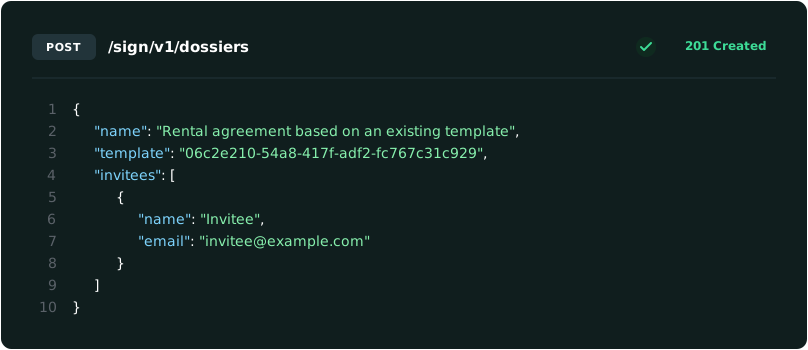
Send and sign from any device, or automate it through the API.
Every signature is time-stamped, certified, and traceable.
Sign works the way your teams already work. Send individually or from a shared team dossier, so anyone on the team has access, through the channel your signer actually checks, only pay when it's signed, and keep everything in one place.
Reach signers faster by sending documents over email, SMS, or WhatsApp
Pay only for documents that actually get signed
Go paperless for your business and your customers
Add Identity Verification for extra assurance.
Create interactive, error-free quotes in a few clicks
Create contracts with pre-approved templates
Collect payment and signature in the same step
Get recurring contracts re-signed before they lapse
Get new hires signed and set up before day one
Get an NDA signed before the first meeting starts
Turn an approved quote into a signed order automatically
Add an ID or bank check to signatures that carry more risk
Create interactive, error-free quotes in a few clicks
Create contracts with pre-approved templates
Collect payment and signature in the same step
Get recurring contracts re-signed before they lapse
Get new hires signed and set up before day one
Get an NDA signed before the first meeting starts
Turn an approved quote into a signed order automatically
Add an ID or bank check to signatures that carry more risk
Under eIDAS, the EU regulation for electronic signatures, not every signature carries the same legal weight. Sign supports all three levels, so you can match the standard to the document.
A typed name, click, or drawn signature; sealed and tamper evident, but without identity verification. eIDAS's most basic form; best for low risk approvals.
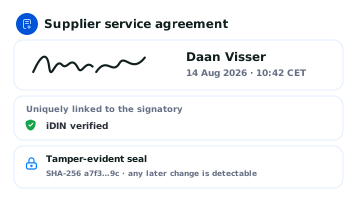
Sealed and tamper evident like SES, plus verified identity, for example via iDIN, securely linked to a confirmed signatory.
The highest legal standard under eIDAS, backed by a certified identity verification. Equivalent to a handwritten signature across the EU.
Not every document needs the same level of proof about who's signing it. A newsletter sign-off and an employment contract don't carry the same risk, so Sign lets you add exactly as much identity assurance as the document deserves.
Already using CM.com for identity verification? Turn any of those verifications into a signing step in Sign, no separate integration required.
A one-time password (OTP) sent by SMS, email, or WhatsApp. Fast, frictionless, good for everyday approvals.
iDIN (via their own bank) or IBAN Verification confirms the signer's identity or account ownership before they sign.
QES has identity verification built in: an ID verification and facial verification confirm who's signing, so the signature carries the strongest legal and identity assurance under eIDAS.
Choose pay-as-you-go, or subscribe for a lower rate and API access. Already have a CM.com Verification subscription? Your Sign rate is already built in.
No monthly fee. Pay for documents that get successfully signed.
Send documents directly from the platform, no API access
Full audit trail on every document
Add OTP as an extra layer of security, any time
Per-document rate drops as you scale.
e.g. Growth bundle (500 docs/year): €0.80/document
API access and webhooks included
Identity verification and QES included in this plan
Starting price, subscription required.
Charged per signature, every time
No in person appointment or extra hardware needed
Identity verified by Digidentity, our accredited eIDAS qualified trust provider
Sending at scale, or need a custom SLA? Get a dedicated CSM and negotiated volume pricing for enterprise and regulated industries.
Signing confirms a specific person agreed to a document. Sealing confirms it came from your organization and hasn't been altered, no signatory required.
Built for bulk from the start, and priced below standard Sign per-document rates. Fits invoices, statements, and other documents that need to be trusted, not individually signed.
Send multiple documents in a single API call, no need to upload or process them one by one.
State why the document is being sealed. It's added directly to the certificate.
Documents return fully sealed and ready to use, no signing flow to manage.
CM.com’s solution is ticking all our boxes with great feedback from end-users in the context of a trial organized during the RFP. We are 100% satisfied with Sign and have established a great relationship with the vendor. CM.com has great support, and it’s efficient and customer-oriented.
The Sign product is not static, but is continually being developed. I would therefore certainly recommend it to other parties. The functionality of the product is very good. In general, the reactions from our clients are very positive. Sign works quickly and is easy to understand.
Sign is an easy and efficient tool to handle contracts. I would definitely recommend it to others because it’s widely applicable and therefore useful to a lot of organizations. It is especially recommendable for signing employment contracts and to verify identity.
The signing process with Sign is quick and accurate. Digital signing takes less than 2 minutes and that includes sending the documents. An API is used to make the connection between HoorayHR and Sign. That means that if you use Sign in HoorayHR, you can use templates to create a document.

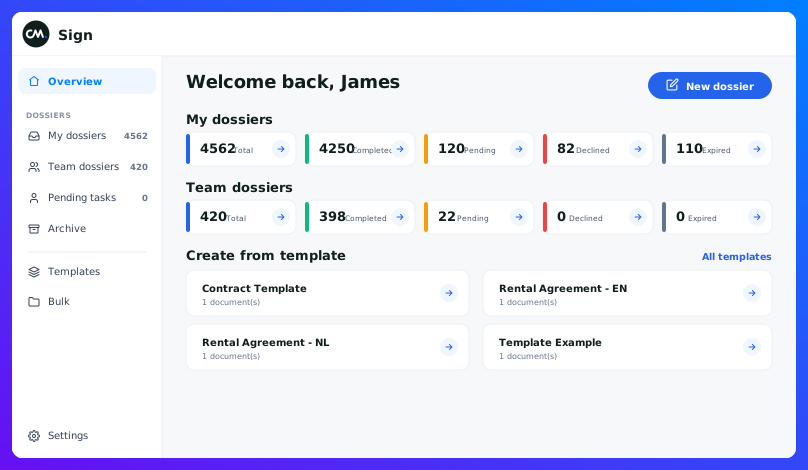
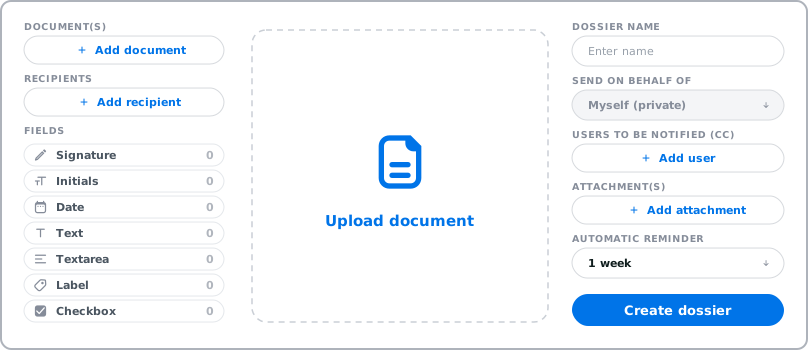
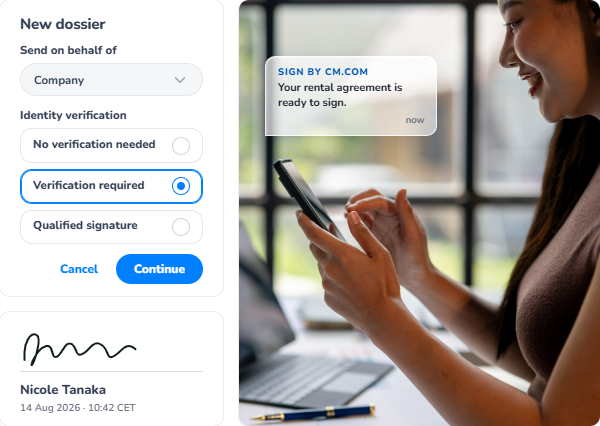
From the CM.com platform, create a dossier, a container for the document(s) that need signing, then send it as a sign request. Your Sign dashboard shows it under My Dossiers so you can track its status (Pending, Completed, Declined, Expired).
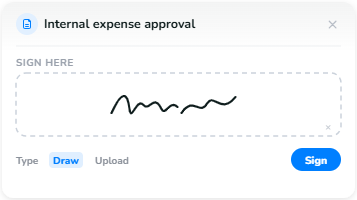
Learn moreThey open the invite (sent by email, SMS, or WhatsApp) and land in the signing environment. Grey dots mark every field that still needs action, and a counter at the bottom shows how many are left. For a signature field, they can use a pre-filled name, upload an image of their signature, or draw it on screen.
Learn moreAs the dossier owner, you get an email with the signed document and its audit report attached. Everyone else who signed only receives a copy of the signed document itself.
Yes, but treat it carefully. It's a personal link with direct access to that person's dossier, so it should never be forwarded or shared with anyone else.
Yes. The Sign dashboard has a dedicated Bulk actions section, alongside Templates for recurring documents and an Archive for anything already completed.
Yes. Sign supports all three eIDAS levels, simple, advanced, and qualified, so you can match the signature type to what the document legally needs.
Learn moreQES adds a certified identity check on top of a standard signature, making it legally equivalent to a handwritten one, valid across the EU.
Learn moreSigning confirms a specific person agreed to a document, tracked through a dossier like any other sign request. Sealing works differently: your organization applies the seal directly through the API, in bulk, with no signatory and no dossier involved.
New signature methods, identity checks, and regulations like the EUDI Wallet are changing what’s possible with e-signatures. Leave your details in the chat and book a demo right away. We’ll take it from there.
This chatbot helps you schedule a demo with one of our experts. Please note that it can't answer detailed questions about CM.com products, services, or pricing. Our team will be happy to cover those during your demo.