
If you've been searching for the WhatsApp "green tick," you're looking for the right badge with an outdated name. Meta unified its verification badge across WhatsApp, Facebook, and Instagram, so the badge is now a blue checkmark, and the official name for a verified WhatsApp Business account is an Official Business Account (OBA). The purpose hasn't changed: it tells your customers they're messaging the real business, not an impersonator.
WhatsApp remains one of the most popular channels for reaching customers, which is exactly why impersonation is a real risk. With messaging fraud on the rise, the blue checkmark is one of the clearest signals you can give customers that they've reached your business, not a scammer copying your name. Here's what the badge means today, and the two different ways to get it.
1. What Is an Official Business Account?
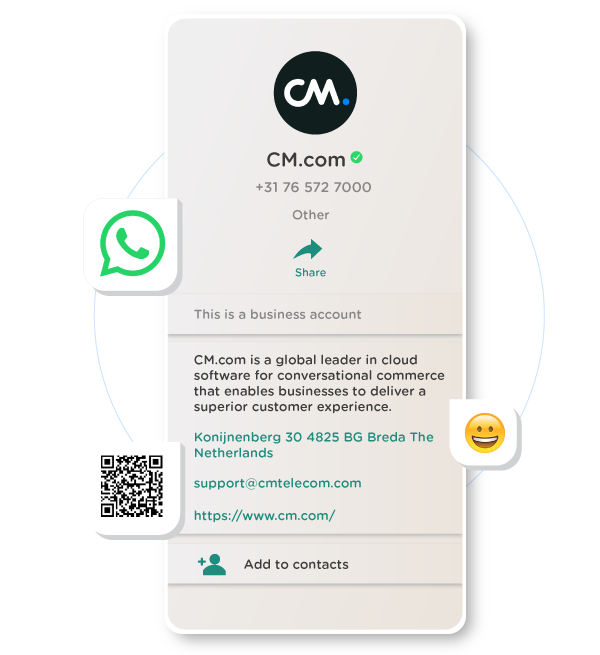
An Official Business Account is a WhatsApp Business Platform (API) phone number that Meta has verified as belonging to an authentic, notable business. Verified numbers show a blue checkmark next to the business name, in the chat list, the chat screen, and search.
This is the direct successor to what used to be called the "Meta Verified Badge" or green tick. The badge still works the same way: it's free, it's merit-based, and you can't buy your way into it. It's separate from the paid Meta Verified for Business subscription, covered below.
2. Blue Checkmark vs. Meta Verified for Business: Two Different Routes
As of 2026, there are two distinct ways to get a verified badge on WhatsApp, and they're not interchangeable:
Official Business Account (free, merit-based). Available only on the WhatsApp Business Platform (API). Meta reviews your business and grants the badge if you qualify, at no cost. This is the original route, and it's the one this article focuses on.
Meta Verified for Business (paid subscription). A subscription plan, also available to WhatsApp Business accounts, that adds a badge along with extra benefits like proactive impersonation monitoring and prioritized support. Pricing varies by plan and region, so check the Meta Business Help Center for current rates in your market before budgeting for it.
If you're already a WhatsApp Business API customer of CM.com, the free Official Business Account route is the one to pursue first. It costs nothing and uses the eligibility criteria below.
3. The Advantages of a Verified Badge
Whichever route you take, a verified WhatsApp Business account gives you:
Image: Your business name and a blue checkmark appear instead of just a phone number, which reads as more formal and trustworthy to customers.
Trust: The badge is granted directly by Meta, so customers can be confident they're messaging a real, reviewed business.
Visibility: Official Business Accounts are easier for customers to find in WhatsApp search, even if they haven't saved your number.
Security: Verified accounts get proactive impersonation monitoring, making it harder for fraudsters to pose as your business.
Support: Verified businesses get prioritized support from Meta.
4. How to Get a Free Official Business Account
To be eligible for an Official Business Account as a WhatsApp Business API customer of CM.com, your account needs to meet all of the following:
You're using the WhatsApp Business Platform (API), not the free WhatsApp Business app.
Your business portfolio has completed Meta Business Verification.
Your business phone number has been registered on the WhatsApp Business Platform for at least 30 days.
You have two-step verification (2FA) enabled on the number.
Your display name has been approved.
Your business complies with WhatsApp's Business Messaging Policy.
Meta also weighs whether your business is notable: a business with a high-quality website that's frequently searched for and covered in independent media. Adding 3 to 5 media coverage links from news articles or magazines strengthens your case. Paid promotional content and press releases don't count toward this.
When you're a CM.com customer, requesting an Official Business Account is free of charge.
5. How to Get Meta Verified for Business
If your business doesn't yet meet the notability bar for a free Official Business Account, Meta Verified for Business is a paid alternative available on WhatsApp, Facebook, and Instagram. It's a subscription rather than a one-time application, so the badge stays active only for as long as you keep paying. Plans and pricing vary by region and feature tier, and Meta updates them periodically, so confirm current pricing directly with Meta before you commit.
6. What to Do if Your Application Is Rejected
The decision on whether your business passes verification is made entirely by Meta. WhatsApp Business Platform service providers like CM.com have no influence over that decision and can't add value that helps you pass review. It's your responsibility to double-check the information you submit before requesting verification.
Don't worry if you're not approved on the first try. Rejection doesn't affect your ability to keep using WhatsApp Business for messaging, and you can reapply after 30 days.
Before you reapply, understand why you were rejected, most often an unapproved display name or insufficient proof of notability, correct the issue, and try again.
Note that Meta doesn't grant Official Business Account status to businesses in some industries, including gambling, drugs, weapons, tobacco, alcohol, and pharmaceuticals. Check WhatsApp's Business Policy for the full list before applying.
WhatsApp Business via CM.com
CM.com is a certified WhatsApp Business Solution Provider (BSP), with over 20 years of experience in international cloud communication. BSPs are exclusively selected by WhatsApp to offer direct API access to the WhatsApp Business Platform, making integration easier for your business. WhatsApp recognizes CM.com as a Premier level BSP, its highest tier, which means we help businesses access the WhatsApp Business Platform compliantly and get the most out of the channel, from usernames to campaign messaging.
For more information about WhatsApp Business Platform, please feel free to contact us!
FAQ

No. Meta retired the green checkmark and replaced it with a blue checkmark, matching the badge design on Facebook and Instagram. The underlying status, Official Business Account, works the same way it always did.
The Official Business Account route is free and merit-based. Meta Verified for Business is a separate paid subscription for businesses that want a badge without meeting the free route's notability requirements.
No. CM.com can submit your Official Business Account request, but Meta makes the final decision and doesn't share the complete criteria publicly.